MiDrive Tips
The TIPS here are meant to help not just our customers, but anyone that wants to improve the way they use thumb drives. These tips come from our documentation and user community. If you have suggestions or best practices that would be appropriate, please send them to using the form below. (See previous TIPS on our Facebook Discussions Page)
Tip of the Week
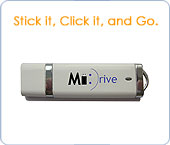
Want to create a shortcut on your Desktop to launch MiDrive?
As we all know working with USB Storage is extremely easy and flexible. However, one of the challenges faced with USB devices is that Windows can, and will, assign different drive letters each time the device is attached; making it difficult to create �permanent� shortcuts to access files or applications on the device.
For those of us that want to launch MiDrive from our desktop, this creates a unique challenge. This Weeks Tip outlines the process to overcome this issue, and create a �permanent� shortcut to launch the MiDrive application by assigning a permanent drive letter to your MiDrive device.
Continue Reading....
We hope this information was helpful.
Contact support should you have any further questions about this topic.
Request Tips Via Email
|